Showing posts with label for. Show all posts
Showing posts with label for. Show all posts
Saturday, September 10, 2016
Volcano MerapiTool ver 1 4 7 Added Worlds 1st FRP Solution for Qualcomm MSM 8909 Cpu
Volcano MerapiTool ver 1 4 7 Added Worlds 1st FRP Solution for Qualcomm MSM 8909 Cpu
Whats new ?
Download Area
Index of ./VolcanoBox/Pack1 aka Merapi Tool/
Follow Us on Twitter for always Update to Date:
https://twitter.com/GPGWorld
Follow us on Facebook
https://www.facebook.com/GPGINDUSTRIESWORLD
- Added Worlds 1st Unique solution for FRP
- Special Thanks to Real ASH & Hassan.
- Improvements
- Read Factory file
- Virus Clean Tool
- Some log for better understand
- Modification
- Some logs are changed to better understanding.
- About FRP
- FRP Solution is Very Unique Solution for Tons of phones. cant every count of supported numbers, but its Support Almost all devices running with Qualcomm MSM 8909 Cpu.This method also can be useful for other Cpu as well but you have to try at your own risk as its universal solution and Volcano Merapi Team will not Liable of any damage to your device by this, But this solution is every EXCLUSIVE & Not yet added by any team and very usefull.
- Tested FRP Removed Phones Test Reports
- Worlds 1st HUAWEI Y560-L01 even dcunlocker failed
- words first ONE PLUS X MODEL - E1003
- words second huawei y560-l01
- worlds 1st Zte a460
- words first Motorola XT1092
- Motorola Xt1092 2nd Ge
- MICROMAX D400
- Beta Test Reports
- MerapiTool 1.4.7 Beta Start Huawei Qualcomm Frp World First|Imei Repair Engine Update
- Motorola Xt1092 2nd Gen Frp Done By Merapi Procedure inside Post
- Motorola XT1092 Qualcomm Frp Lock Removed In Bullet Speed With Awesome Merapi Tool
- ZTE Blade A460 Frp Lock Remove with Volcano [ Solved With Merapi 1.4.7 ]
- Previous Update:
- Volcanobox 1.4.3 MerapiTool|Added Motorola Security Repair|MTK Funtional & Much more!
- VolcanoBox1.4.4 MerapiTool Motorola Imei Recover & Huawei Hisilicon NV Read & Write
- Volcano Merapi Solo Update Ver 1.4.5 Spd 7715 Pac /Mtk 6795 New Flash Id Added
- Volcano Merapi 1.4.6 SOLO Update Exclusive Mtk Imei Repair Engine|Flash Read Improve
- Volcano MerapiTool ver 1.4.6.F Released - Fix Virus Tool - Ton of Files uploaded
- How to Use FRP Solution for Qualcomm MSM 8909 Cpu
- Put phone into Fastboot mode
- Connect phone with computers usb and install drivers if needed
- Open Volcano MerapiTool Software
- Go to MULTIBRAND then FRP then QUALCOMM MSM 8909 REMOVE FRP
- Your Phone will be FRP Removed among Bootloader unlock
Important Notice: You have Extract this update into VolcanoBox 1.4.1 Full setup Folder, Full Installer you can download from here. Make Sure, your AntiVirus & FireWall is Closed or MerapiTool Is added into Trustzone.
Download Area
Index of ./VolcanoBox/Pack1 aka Merapi Tool/
Follow Us on Twitter for always Update to Date:
https://twitter.com/GPGWorld
Follow us on Facebook
https://www.facebook.com/GPGINDUSTRIESWORLD
__________________
Best Regards
Faisal_Computer
General Manager
GPGIndustries
Best Regards
Faisal_Computer
General Manager
GPGIndustries
Available link for download

Friday, September 9, 2016
HTC Gold card maker Root Tutorial Official rom flashing important note Easy Way to find yur Correct firmware for yur model
HTC Gold card maker Root Tutorial Official rom flashing important note Easy Way to find yur Correct firmware for yur model
Imp Notes :

* To update vit official Rom yu hav to relock yur bootloader nd update yu mobile relock command below do it on fastboot mode
* if yu are unlocked yur bootloader yu can not flash yur mobile using official ROMS.
* To update vit official Rom yu hav to relock yur bootloader nd update yu mobile relock command below do it on fastboot mode
fastboot oem lock
* If yu have unlocked rooted nd custom recovery installed in yur mobile yu can flash custom roms nd other rom zip files using it.
* To update original Rom after relocked in fastboot mode check yur cid use **** command
fastboot getvar cid
* To update original Rom after relocked in fastboot mode check yur cid use **** command
fastboot getvar cid
* Yur cid must b lik this example: cid:HTC__044
* if get the cid yu can search correct rom for yur model vit this cid for examble se picr below.
official roms vist here

* if yu unable to find the correct rom for ur cid yu can upadte yur mob by 2 methods 1st is goldcard method 2nd s-off yur mob nd update vit any rom.
* Gold card method 1st post
* For s-off method yu hav to unlock yur bootloader nd root yur mobile den search for s-off locking tool for yur hboot version.once if yu s-off yur mobile yu can flash any official rom but before update yu hav to agin relock the bootloader.
* CID change benefits if yur on s-off change yur cid as super cid Normal cid HTC__044 super cid 111111 yu can edit cid by some tools yu can search it for yu
model via google.
* Once yu get the super cid yu can flash any rom any time but yu can not downgrade if yu need to downgrade yu hav to s-off yur mob.one more thing wen
yur mob on s-off yu can oly flash other official rom once aftr update yur s-off become s-ON. if yu hav change yur cid to super cid no need to wrry about it.
Easy Way to find yur Correct firmware for yur model
* put yur mob into fastboot mode nd cnnt it to the pc
* Run cmd command type fastboot getvar all nd press enter
* After get full details about yur mobile follw the below givn image
* if get the cid yu can search correct rom for yur model vit this cid for examble se picr below.
official roms vist here
* if yu unable to find the correct rom for ur cid yu can upadte yur mob by 2 methods 1st is goldcard method 2nd s-off yur mob nd update vit any rom.
* Gold card method 1st post
* For s-off method yu hav to unlock yur bootloader nd root yur mobile den search for s-off locking tool for yur hboot version.once if yu s-off yur mobile yu can flash any official rom but before update yu hav to agin relock the bootloader.
* CID change benefits if yur on s-off change yur cid as super cid Normal cid HTC__044 super cid 111111 yu can edit cid by some tools yu can search it for yu
model via google.
* Once yu get the super cid yu can flash any rom any time but yu can not downgrade if yu need to downgrade yu hav to s-off yur mob.one more thing wen
yur mob on s-off yu can oly flash other official rom once aftr update yur s-off become s-ON. if yu hav change yur cid to super cid no need to wrry about it.
Easy Way to find yur Correct firmware for yur model
* put yur mob into fastboot mode nd cnnt it to the pc
* Run cmd command type fastboot getvar all nd press enter
* After get full details about yur mobile follw the below givn image
Code:
All cid codes


Cid id and oparetors all htc
SuperCID 11111111
AirTel-India ????????
Asia-HK-CHT HTC__622
ATT CWS__001
BM BM___001
Bouygues-Telecom BOUYG201
Brightstar-PTB BSTAR502
Brightstar-SPA BSTAR301
Chunghwa-Taiwan CHT__601
CT HTCCN702
CU HTCCN703
DCM DOCOM801
DOPOD DOPOD701
Era T-MOB009
Fastweb-IT FASTW401
GOOGLE GOOGL001
H3G-DAN H3G__F05
H3G-Italy H3G__402
H3G-ROI H3G__003
H3G-SWE H3G__G04
H3G-UK H3G__001
HTC-Asia-SEA HTC__037
HTC-Asia-SEA-WWE HTC__044
HTC-Australia HTC__023
HTC-BE HTC__E41
HTC-Czech HTC__C24
HTC-Denmark HTC__F08
HTC-Dutch HTC__E11
HTC-EastEurope HTC__032
HTC-ELL HTC__N34
HTC-FRA HTC__203
HTC-FRA-Bouygues HTC__247
HTC-GCC HTC__J15
HTC-GER HTC__102
HTC-India HTC__038
HTC-ITA HTC__405
HTC-Nor HTC__Y13
HTC-Norway HTC__H10
HTC-Poland HTC__B25
HTC-PTG HTC__506
HTC-Russia HTC__A07
HTC-Singapore ????????
HTC-SPA HTC__304
HTC-Sweden HTC__G09
HTC-Turkey HTC__M27
HTC-WWE HTC__001
Hutch-Australia HUTCH001
O2-DE O2___102
O2-UK O2___001
Open-Channel HTCCN701
Optus-Australia OPTUS001
ORANGE-AT ORANG113
ORANGE-BE ORANG012
ORANGE-CH-FRA ORANG203
ORANGE-CH-GER ORANG104
ORANGE-ES ORANG309
ORANGE-French ORANG202
ORANGE-PL ORANGB10
ORANGE-PO ORANG008
ORANGE-SK ORANG006
ORANGE-UK ORANG001
Rogers ROGER001
SMC-Voda-HK SMCVD001
StarHub-Singapore ????????
TELEF-Spain TELEF301
Telstra TELST001
TELUS TELUS001
TIM-Italy TIM__401
TMA T-MOB102
TMCZ T-MOB004
TMD T-MOB101
TMH T-MOB007
TMHR T-MOB006
TMMK T-MOBL11
TMNL T-MOB003
TMSK T-MOB008
TMUK T-MOB005
TMUS T-MOB010
TWM-TW HTC__621
VIRGIN-UK VIRGI001
VODA-Africa-South HTC__016
VODA-Australia VODAP021
VODA-Germany VODAP102
VODA-Greece VODAP006
VODA-Ireland VODAP019
VODA-Italy VODAP405
VODA-Mobilkom VODAP120
VODA-Netherland VODAPE17
VODA-New-Zealand VODAP022
VODA-Portugal VODAPD18
VODA-Proximus VODAP024
VODA-SA VODAP026
VODA-SFR VODAP203
VODA-Spain VODAP304
VODA-Swisscom-DE VODAP110
VODA-Swisscom-FR VODAP212
VODA-Swisscom-IT VODAP416
VODA-Swisscom-WWE VODAP015
VODA-TR VODAPM27
VODA-UK VODAP001
Available link for download
BBM For iPhone And Android Release Date Accidentally Leaked By T Mobile UK
BBM For iPhone And Android Release Date Accidentally Leaked By T Mobile UK
BlackBerry Messenger (BBM) has hitherto been an exclusive flagship feature of the BlackBerry platform, but with the company having recently announced its decision to allow the instant messaging service to fly the nest as it were by crossing platforms to both iOS and Android, it now looks as though BBM for iOS and Android may just be a few weeks away now. According to a tweet sent out by T-Mobile UK, which was later pulled for reasons unknown and have also raised doubts, it’s going to be hitting the App Store and Google Play Store on June 27th.
In the initial announcement, BlackBerry cited the reason behind opening up BBM to wider audiences was one of confidence, in that the new BlackBerry 10 OS and associated devices could cope without the pull factor of the proprietary chat service. But that was all bluster of course, since if BlackBerry’s well-documented fall from grace hadn’t have occurred and the company still remained among the big players in the mobile game, there’s just no way BBM would have been shared.

Still, the motives don’t particularly matter, because whether BBM is relevant or not in the days of GTalk, iMessage and WhatsApp, it’s coming; and people are talking about it.
Like most folks, I did own a BlackBerry Bold many moons ago, and I don’t really know whether to be excited about the release of BBM for my iPhone and Android smartphone. I mean, when you ditch BlackBerry, most from within your group tend also to be making a similar transition, and having now sorted out a routine for keeping up with friends by combining WhatsApp, Facebook Messenger, iMessage and SMS (sounds more complicated than it actually is, trust me), slotting BBM in there would just seem like a burden.

Then again, the amount of people still using BBM cannot be discounted, and with most people likely to try the app out of sheer curiosity, I certainly wouldn’t write off its chances of branching back out and helping the BlackBerry cause.
The question in the end remains whether or not the tweet sent out by T-Mobile UK is credible or not, since it has been removed after all. To put it in fair words; even we’re confused regarding the tweet’s legitimacy. What do you guys think? BBM on June 27th or not?
Available link for download
ROM 4 4 4 FIUI v2 ROM for Galaxy Ace 3 LTE S7275
ROM 4 4 4 FIUI v2 ROM for Galaxy Ace 3 LTE S7275
[ROM][4.4.4] FIUI v2 ROM for Galaxy Ace 3 LTE (S7275) - Very good at all! Having discovered this ROM behaved "Rahmadani" I decided to carry it to the S7275 model and its variants. As for the S7270, this runs Android KitKat ROM based on CyanogenMod 11.
![[ROM][4.4.4] FIUI v2 ROM for Galaxy Ace 3 LTE (S7275)](https://blogger.googleusercontent.com/img/b/R29vZ2xl/AVvXsEg5LC8eGZdsmUs7562_HdZn7HuhCfOEu80DmBITfLg_gJoT7eIA7pH0I3lZyxLsn_crbWBWxfdjFY0xu4ZXUPZ8Hk5mbMtwho5fZ24bzxxlHdpMeWfZhMqtELI407PGd3Llq2I3tyBs9v6F/s320/photo_2015-10-10_11-20-47.jpg "[ROM][4.4.4] FIUI v2 ROM for Galaxy Ace 3 LTE (S7275)")
Latest Version: 10/23/2015
* Fixed front camera
It is a beta version! It has not been tested enough, so maybe you suffer an unexpected bug.
What does not work?
- NFC (not supported by AOSP 4.4)
- You could suffer sudden restarts
It works?
- Everything else!
Notes:
- The ROM is based on CM11; just change the interface and apps.
- If you have problems with WiFi, set your country code in WiFi settings.
Download:
ROM: CLICK HERE
Gapps: CLICK HERE
* Choose gapps package that best suits you *
How to install?
1. Having ClockworkMod 6.0.4.9 (a minimum. Higher versions also work) or instal twrp here
2. Download ROM and put it in the SD
3. Enter Recovery Mode: Volume Up + Home + Power
3. Wipe Data / Factory Reset (not required if installing over a previous build)
4. Format / system (only if the previous ROM is not the same version of FIUI)
5. Install from SD card, and seek ROM
6. Mount / system and installed gapps
7. Accept, and will FIUI v2 Android 4.4.4!
Available link for download
Thursday, September 8, 2016
Best 16 Best CPM Ad Networks For Your Website earn money 2016
Best 16 Best CPM Ad Networks For Your Website earn money 2016
BEST Top Paying CPM Advertising Network 100% B
A 1. Tribal Fusion: A Tribal Fusion is one of the most F popular CPM ad networks. A They are popular for high CPM rates. If you get more then 500,000 unique users per month then you can Aapply on Tribal Fusion for publisher program F
A 2. Advertising: A Advertising.com is part of AOL. A F Advertising is also among top CPM ads network and also one of the high paying CPM rates. A To join advertising.com you must have high visitors base F
A 3. Casale Media: A Casale Media offers high F CPM rates other than that they also offers fixed CPM rates. A To become Casale Media publisher you must get 50,000 unique visitors each month F A
A 4. Propeller Ads: A From past few time F Propeller Ads is becoming very popular ad network. A F Propeller Ads offers various adverting options F of publisher and advertiser like Pop-Under ads, A Banner ads, A Mobile Adverting etc. F They offer G some of the best F CPM rates in the industry. F I have seen publisher making good money with G Propeller Ads, go ahead and join them to improve your website earning.
A 5. Burst Media – A Burst Media F gives you high CPM’s, quality campaigns, F and full control of which ads run on your site. F Your site must have minimum A traffic of 25,000 monthly page views or 5,000 monthly unique views.A
A 6. CPX Interactive: CPX F Interactive was named 6th fastest A growing privately held US A advertising company in 2008 by Inc F. F Magazine for their annual list of corporate success stories. They deliver true scalability and transparency.A
A 7. Technorati Media:A the F largest social media advertising network. A With deep agency and client relationships, F they deliver targeted campaigns from top brands at high CPM. A F Tenorati media has tie ups with many companies including A Google F , F MSN, Yahoo!, IGN, Hearst, CNET, Tribal Fusion, F Washington Post, F and Time Inc.A
A 8. BannerConnect: A Banner Connect F has been an expert F on automated ad trading since 2004 and was one of the first A Acompanies in the world active on an ad exchange. F A
A 9. ValueClick Media: A ValueClick Media F is the premier Internet advertising network for publishers who wish to A earn the most for their available inventory. F You get the complete control over your advertisements along with quality advertising and superior support.A
A 10. Adtegrity: A Adtegrity.com, A F Inc. is an F online advertising network with reach into over 30 vertical content channels specifically A segmented for maximum impact with advertiser A campaigns. F A For the publisher, the company follows the criteria that you need to have A minimum 500,000 page views per month and your 50% traffic must originate from U.S. FMoreover your site should reside at a top level domain name that you own or control without any unlicensed material. A
A 11. AdPepper: A ad pepper media is one F of the leading, independent international online advertising marketers. A You can collaborate with ad pepper and can get comprehensive set of A opportunities to A market online presence profitably,A F whether national or international in scope. The company also offers weekly payouts. F
A12. adBrite: A adBrite is the largest F independent ad exchange, AA F reaching 300 million global unique visitors every month, including more than 150 million in the U.S. adBrite’s Exchange A provides a yield management solution with advertisers being ranging from small local companies to world-wide advertising agencies F . A F adBrite makes it easy for you to have access to thousands of advertisers with minimal effort. F It supports different ad formats and provides publisher,F the full control and account management. F
A 13. Vibrant Media: A Vibrant is the world F leader in premium contextual technology aligning billions of words across the Internet. A It has over 6,000 premium publishersF F reaching over 250 million unique users per month, F A Vibrant offers publishers premium editorial tools to re-circulate users throughout their websites. F A You can gain incremental revenue through relevant display advertising and moreover, A F Vibrant InterestAD (VIA) are targeted based on words bought by brand advertisers, not by site with easy implementations.F A
A 14. Axill: A Axill is one of the fastest F growing publisher networks.F Axill provides a complete solution for publishers to generate huge revenue from their websites by offering the best offers.F You get the quality advertisers and you can track them with easily.F You can earn effective CPMs possible and get paid on net 30 via Moneybookers or Wire Transfer.F
A 15. Clove Network: Clove A Network F is an ad network that delivers services to thousands of A high quality publishers.F Clove network has a wide range of ad formats and solutions A with flexible and transparent pricing model. They campaign top brands with optimized technology.F A
A 16. Adify: A Adify owned by Cox F Digital A Solutions provides compelling solutions connecting advertisers with engaged users and A publishers with quality brands.F A Company has built a suite of publisher services that maximize ad revenue and allow for greater operating efficiencies. F The company allows you to increase ad revenue,F extend your reach, or take advantage of our industry-leading end-to-end platform.F A
A 16. Adify: A Adify owned by Cox F Digital A Solutions provides compelling solutions connecting advertisers with engaged users and A publishers with quality brands.F A Company has built a suite of publisher services that maximize ad revenue and allow for greater operating efficiencies. F The company allows you to increase ad revenue,F extend your reach, or take advantage of our industry-leading end-to-end platform.F A
Enjoy Best Trick & Tips www.updatefile24.co m Email:info@updatefile24.com F
Available link for download
Microsoft Net Framework 3 5 Offline Installer for Windows 8 1
Microsoft Net Framework 3 5 Offline Installer for Windows 8 1

Download Link .Net Framework Offline Installer for Windows 8.1:
Server 1 | Server 2
Untuk versi lain, silahkan cek disini
Password if needed : www.tipshare99.com
Available link for download
Wednesday, September 7, 2016
How to install the newest Android 5 1 1 for Sony XPERIA Z C6603 firmware 10 7 A 0 228
How to install the newest Android 5 1 1 for Sony XPERIA Z C6603 firmware 10 7 A 0 228

a) first of all, check your firmware version (if you already have the newest one, you do not need this tutorial)
b) download and install latest Flashtool from this Post
c) download also latest Android 5.1.1 (mirror Google Drive) for Sony XPERIA Z
d) paste the ftf file downloaded in step c) to folder „Firmware“ included in the XPERIA Flashtool
e) open the XPERIA Flashtool, click on flash and choose downloaded firmware, than click ok. Important - if you do not want to delete any data of your phone, just uncheck flashing userdata.sin file. All data will remain in your phone, but sometimes it can cause additional troubles. So it is better (and I recommend that) to do the backup of your personal data, than proceed with clean instalation and then restore your personal data.

f) turn off your phone and when Flashtool shows pop up window, connect phone to PC with holding volume down button
g) after few minutes all is done and your phone gets the new firmware
Available link for download
Facebook Update Brings New Favorites Tray For Home Post Sharing Settings And More On Android
Facebook Update Brings New Favorites Tray For Home Post Sharing Settings And More On Android
Facebook has long since been the world’s most visited social network, and rather than just offering the official app alongside a separate Messenger service, the social network has sought to go to town with its deep integration with the introduction of the Facebook Home APK for Android, which arrived two months back along with some other interesting features. Opinion has been mixed hitherto, with the new implementations having experienced quite a few teething issues on Google’s fragmented platform, but today, Zuck’s team has released a significant update to both Facebook and Facebook Home for Android. Details after the break.
In its current state, Facebook Home is certainly nothing to rave about, but the potential it has is unquestionable. Today’s rather substantial update is the latest step in Facebook’s quest to realize this potential, bringing a rather healthy bunch of new features to the table.

First and foremost, the official, original Facebook app now lets users add multiple photos into chat messages. The picture-sending feature has been limited to just one until now, but this annoyance will be no more thanks to the lifting of the restrictions.

On top of that, you can now easily alter post sharing settings, so if you would only like certain individuals to see some posts, you can do so on-the-go. It’s one of those features that seems as though it should have arrived a long time ago, but nonetheless, those keen to monitor and tweak their post sharing settings and rules will be able to do so with relative ease.

In Facebook Home, there’s now a new ‘favorites tray’ which lets you select some of your most-used apps and keep them in a convenient spot on your home screen. To add apps, all you need to do is drag and drop, and having given the newly-updated app a brief run-out on an HTC One, we can confirm the new features do function rather well.
The update to Facebook Home rolls straight through the official Facebook app, so if you download and update Facebook for Android app, you’ll be able to enjoy all of the new features.
(Source: Facebook for Android on the Play Store)
Available link for download
Tuesday, September 6, 2016
What is ROM and How to Choose Perfect ROM For My Android Device
What is ROM and How to Choose Perfect ROM For My Android Device

You’ve been with your no-longer-so-brand-new Android phone for a long time now. It has become slow, there are apps that are no longer compatible with your operating system version and widgets and do not convey any emotion.
If your phone was a PC, you would have formatted and installed latest operating system. Same thing goes with Android, where you have to install ROM on device.
What is an Android ROM? What about firmware?
Firmware and ROM are one and the same thing: Read-only memory on your phone, can be said to be Soul of your Phone. Contains the Google Android operating system, duly adapted and configured to work with the hardware-specific mobile phone (antenna, computer graphics, cameras, etc.).
The operating system is in a read-only memory for two reasons: to prevent overwriting files, and to keep you faithful to small changes and integrated applications that manufacturers often include in their models. Being open source, Android allows for all sorts of modifications. In addition to the official ROM, very common thing you find is ROM made ??by groups of volunteers and enthusiasts who take the code base and add or remove features or skins. Even you yourself can create (cook) yours.
So why should I change the ROM?
For the same reason you changed your phone, whatever. Some people need more performance, who want to upgrade the operating system to a later version without waiting for official update, and who wants to renew the look of your phone or just try new things.
Is it Dangerous? Can Anything go Wrong?
No. Generally nothing happens as long as we follow the steps given correctly. Chances are new ROM may wipe out user data so, take backup (Titanium Backup is recommended). Or it may happen that some of your apps aren’t compatible with new ROM so, there are always alternatives to choose from million in Android Market.
Bricking of Phone (Phone actually becomes no more than a brick) is an extreme case which results out of carelessness and improper following of instructions.
How to flash a ROM?

Step 1. Install ROM Manager
Your Phone needs to be rooted, the next step is to install ROM Manager, a great app that lets you download and flash new ROM and change the recovery (recovery mode of mobile) with ClockworkMod, from which it is possible to perform full backups and delete the phone memory, among many other things.
Step 2. Install the recovery ClockworkMod
To install ClockWorkMod Recovery, Press the menu option in the ROM Manager. After downloading the image with the latest version of recovery, the app will ask you to restart the phone in recovery mode. From Recovery Mode, you can get back to normal mode with Reboot option.
Step 3. Flash ROM
ROM Manager has another important feature of installing ROM from SD Card. You generally have to download Custom ROM provided by developer and insert that ZIP file into root directory of SD card and then flash it.
How to Choose Perfect Android ROM
There is nothing like Perfect ROM but still, choosing a ROM for your Android phone is not a simple matter. Before flashing a note the following:
- Compatibility with your device (model, manufacturer and country)
- Presence of your favorite apps (HTC Sense, Google apps, etc.).
- If you need external partition (A2SD) or installed into the memory
- User Comments and Review about them
.
Some popular ROMs available are:
- CyanogenMod, the best known and with support for most brands
- MIUI, a spectacular ROM for Samsung, LG, Motorla and HTC
- LeeDroid , HTC mobile for fans of HTC Sense
There are many more, some more stable than others. All bring something, but the choice is up to you. You can always browse XDA Forums to find the one for yourself.
Available link for download
Monday, September 5, 2016
all Latest News for iphone iOS 8 Download Links update
all Latest News for iphone iOS 8 Download Links update
Latest News for iphone iOS 8 Download Links
iOS 8 comes with big updates to apps you use every day, like Messages and Photos. A whole new way to share content with your family. And exciting new connections between apps and between devices. All that and more make iOS 8 the biggest iOS release ever.Huge for developers.
Massive for everyone else.
iOS 8 is the biggest iOS release ever — for developers and everyone else. But that wasn’t the goal. We simply set out to create the most natural, most useful experience — one that is pleasantly surprising at ?rst and becomes utterly indispensable before you know it.
New power for developers.
iOS 8 is the biggest release for developers since the introduction of the App Store. We’ve given them new tools to extend the reach of their apps and opened up new opportunities for them to take advantage of iCloud, Touch ID, and more. Which means you’re seeing exciting new apps with capabilities that were never possible before.
Cloud and iOS 8.
iCloud is built into iOS. It makes sure your devices always have the latest versions of your documents, apps, contacts, and more. It even helps you track lost devices.
iOS 8 Direct Download Links for iPhone, iPad, iPod Touch
8.0 (5 GSM): iPhone5,1_8.0_12A365_Restore.ipsw
8.0 (5 GSM+CDMA): iPhone5,2_8.0_12A365_Restore.ipsw
8.0 (5c GSM): iPhone5,3_8.0_12A365_Restore.ipsw
8.0 (5c GSM+CDMA): iPhone5,4_8.0_12A365_Restore.ipsw
8.0 (5s GSM): iPhone6,1_8.0_12A365_Restore.ipsw
8.0 (5s GSM+CDMA): iPhone6,2_8.0_12A365_Restore.ipsw
8.0 (6 or 6+): iPhone7,1_8.0_12A366_Restore.ipsw
8.0 (6 or 6+): iPhone7,2_8.0_12A365_Restore.ipsw
8.0 (iPad 2 Wi-Fi): iPad2,1_8.0_12A365_Restore.ipsw
8.0 (iPad 2 GSM): iPad2,2_8.0_12A365_Restore.ipsw
8.0 (iPad 2 CDMA): iPad2,3_8.0_12A365_Restore.ipsw
8.0 (iPad 2 New): iPad2,4_8.0_12A365_Restore.ipsw
8.0 (iPad Mini Wi-Fi): iPad2,5_8.0_12A365_Restore.ipsw
8.0 (iPad Mini GSM): iPad2,6_8.0_12A365_Restore.ipsw
8.0 (iPad Mini CDMA): iPad2,7_8.0_12A365_Restore.ipsw
8.0 (iPad 3 Wi-Fi): iPad3,1_8.0_12A365_Restore.ipsw
8.0 (iPad 3 CDMA): iPad3,2_8.0_12A365_Restore.ipsw
8.0 (iPad 3 GSM): iPad3,3_8.0_12A365_Restore.ipsw
8.0 (iPad 4 Wi-Fi): iPad3,4_8.0_12A365_Restore.ipsw
8.0 (iPad 4 GSM): iPad3,5_8.0_12A365_Restore.ipsw
8.0 (iPad 4 GSM+CDMA): iPad3,6_8.0_12A365_Restore.ipsw
8.0 (iPad Air Wi-Fi): iPad4,1_8.0_12A365_Restore.ipsw
8.0 (iPad Air Cellular): iPad4,2_8.0_12A365_Restore.ipsw
8.0 (iPad Air China): iPad4,3_8.0_12A365_Restore.ipsw
8.0 (iPad Mini 2 Wi-Fi): iPad4,4_8.0_12A365_Restore.ipsw
8.0 (iPad Mini 2 Cellular): iPad4,5_8.0_12A365_Restore.ipsw
8.0 (iPad Mini 2 China): iPad4,6_8.0_12A365_Restore.ipsw
8.0 (5G): iPod5,1_8.0_12A365_Restore.ipsw
Available link for download
Sunday, September 4, 2016
Flashtool For Flashing All Xperia™ devices Free Xperia™ device Flashing
Flashtool For Flashing All Xperia™ devices Free Xperia™ device Flashing

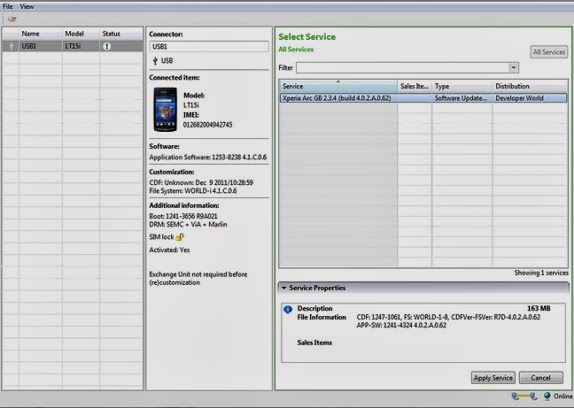
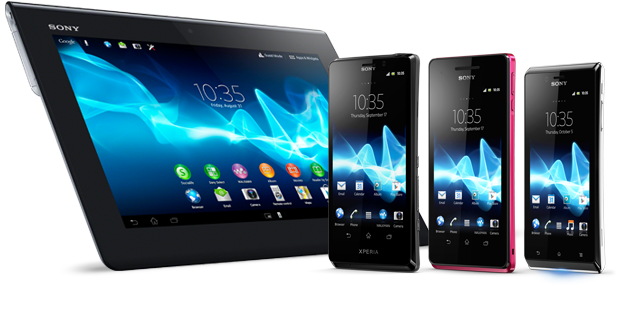
Sony Mobile has introduced most amazing devices with Android OS. So you are here to get your Xperia Smartphone flashed and here is the flashtool for flashing all Xperia™ devices. So if you are not satisfied with the existing firmware of your smart phone or you want to upgrade to a better firmware on your smart phone so you are have right to go on and here you can find the flashtool for flashing all Xperia devices.
How to Download and Install Flashtool For Flashing All Xperia™ devices
- 1-)Download the Flashtool For Flashing All Xperia™ devices.
- 2-)Unzip the file you downloaded and place it somewhere on your computer.
- 3-)In the unzipped folder, run Emma.exe. During the installation, make sure you remember the installation path:
- 4-)Default path in Windows 64 bit is: “C:Program Files (x86)Sony MobileEmma”
- 5-)Default path in Windows 32 bit is: “C:Program FilesSony MobileEmma”
- 6-)Copy the Customization.ini file. You find it in the Flash_tool_for_Xperia_X.zip.
- 7-)Paste the Customization.ini file into the installation folder. The installation folder is the folder named Emma in the installation path examples on point 3.1 and 3.2 above.
- 8-)Click Start > All programs > Sony Mobile > Emma (if you used the default installation path from step 3 above) to start the flash tool.
Download Flashtool For Flashing All Xperia™ devices
Select appropriate version according to your operating system.
Windows Version of Flash Tool
Download1
Download2
Linux Version of Flash Tool
Download1
Download2
MAC Version of Flash Tool
Download1
Download2
Available link for download
HOW TO GET 500MB FOR JUST 25 ON MTN SIM
HOW TO GET 500MB FOR JUST 25 ON MTN SIM
If you like to download with your mtn siim @ night
Mtn as roll out free night sub,
How Can I Get MTN 500MB for #25?
It is pretty simple, just do the below;
Migrate to MTN iPulse if you are not already there by dialing *406#


“Dear customer, you have successfully subscribed to Free Night Browsing between 00:00 and 04:00. N25 has been deducted from your account"
Note: this plan is usable only within 12am – 4am.
you can’t accumulate and Subscribe for it again when U exhaust the first 500MB untill nextday
If you have more than 1 MTN sim, with just N100, you have 2GB staring at you dailing
You can also get 1gb with just #500 with this plan
by dialing *406# to get yours
Mtn as roll out free night sub,
How Can I Get MTN 500MB for #25?
It is pretty simple, just do the below;
Migrate to MTN iPulse if you are not already there by dialing *406#
Make sure you have minimum of N30 in your phone
Send NIGHT to 131 via SMS
Send NIGHT to 131 via SMS
You’ll get a message like this
Note: this plan is usable only within 12am – 4am.
you can’t accumulate and Subscribe for it again when U exhaust the first 500MB untill nextday
If you have more than 1 MTN sim, with just N100, you have 2GB staring at you dailing
You can also get 1gb with just #500 with this plan
by dialing *406# to get yours
Available link for download
Semi Restore For iOS 5 0 to 7 1 2 Restore your iphone with out losing Jailbreak
Semi Restore For iOS 5 0 to 7 1 2 Restore your iphone with out losing Jailbreak

Semi-Restore
For iOS 5.0-7.1.2

Windows Download
Compatible with all jailbroken iPhone, iPod touch, iPad and iPad mini models running iOS 5.0 through 7.0.6
Requirements
* 5-10 minutes of your time!
* A computer running Windows or Mac OS X
Important! Read this or you may regret it!
* SemiRestore supports Windows XP SP3 or higher, OS X 10.6 or higher, and Ubuntu 12.10 or higher (or the equivalent Linux).
* There may be a better way to fix your current problem. For example, to fix "Safe Mode" issues, you can just uninstall Mobile Substrate from Cydia.
* Like any other restore, make sure you backup your data if you want it later.
* Avoid using your iOS device or anything related to iTunes or XCode during the Semi-Restore. Why not actually go outside?
* This process can not and does not repair broken system files! Avoid all Siri Ports, as they are not only illegal (except for Spire on 5.0.1) but they also
create problems and may potentially break system files (even Spire can cause this).
* Your device will respring or reboot several times during the Semi-Restore. This is perfectly normal, so dont panic.
Available link for download
Saturday, September 3, 2016
Adobe Photoshop CC Download Direct For Windows and Mac
Adobe Photoshop CC Download Direct For Windows and Mac

Celebrating 25 years of Photoshop.
Look whos turning 25. Happy anniversary, Photoshop. And to the millions of customers who make the impossible possible, thanks for taking creativity to places we never could have dreamed. Dream on.
“Happy birthday, Photoshop.”
Late-night talk show host Jimmy Kimmel is famous for his pranks and bits featuring everyone from Hollywood celebrities to random people on the street. See his take on Photoshop.
Adobe Photoshop CC Overview Whats New Simple Video
Download Photoshop CS6 30Days Trail Windows And Mac
Direct Download Mac Photoshop_CS6_13_0_6_upd.dmg
Available link for download
Download Sony Xperia arc SO 02C for sony lt18i variat ii
Download Sony Xperia arc SO 02C for sony lt18i variat ii
Sony Xperia arc SO-02C

download here
| Alternate names | LT18i, LT18a |
| Release date | September 2011 |
| Form factor | Bar |
| Dimensions (mm) | 125.00 x 63.00 x 8.70 |
| Weight (g) | 117.00 |
| Battery capacity (mAh) | 1500 |
| Removable battery | Yes |
| Colours | Midnight Blue, Misty Silver, Gloss Black, Sakura Pink, Pure White |
| SAR value | NA |
DISPLAY
| Screen size (inches) | 4.20 |
| Touchscreen | Yes |
| Resolution | 480x854 pixels |
| Pixels per inch (PPI) | 233 |
HARDWARE
| Processor | 1.4GHz |
| Processor make | Qualcomm Snapdragon MSM8255 |
| RAM | 512MB |
| Internal storage | 1GB |
| Expandable storage | Yes |
| Expandable storage type | microSD |
| Expandable storage up to (GB) | 32 |
CAMERA
| Rear camera | 8.1-megapixel |
| Flash | Yes |
| Front camera | No |
Available link for download
Read more »
Subscribe to:
Posts (Atom)