Showing posts with label nexus. Show all posts
Showing posts with label nexus. Show all posts
Thursday, September 1, 2016
Radios modems carried the Nexus for Galaxy S GT I9000
Radios modems carried the Nexus for Galaxy S GT I9000
Radios (modems) carried the Nexus for Galaxy S GT-I9000 - Radios or modems, are responsible for controlling and managing all of our terminal that has to do with connectivity in general and is responsible for managing mobile coverage, data coverage, wifi and bluethoot.
Sometimes, changing Rom or firmware on our device, either by a bad flash or simply because we have not followed the installation instructions well, often happens that regard to communications from our terminal, we begin to fail and show malfunction, or just stop working.
In most cases this is achieved simply by accessing the Recovery and installing a new radio or modem compatible with our device, in more severe cases, the remedy would be to re-flash the selected Rom again, but this time from a clean installation from a base Stock.
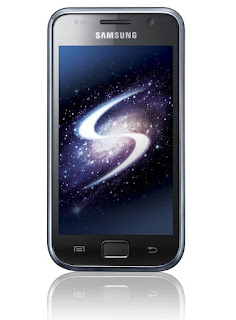
As we have repeated more than once, each terminal, even though identical models are completely different, and that one works really well, for another it may not be the most suitable combination, this is usually because when change of Rom, we do based on other Rom property and do a clean install from the Recovery formatting all, we are remains of the ancient Roms that can make our terminal does not operate properly, so it is always advisable to do clean facilities, as this we will avoid many problems and headaches.
From here, when we introduced a new Rom, always attach the installation instructions of their creators, but as I said before, it depends on the work that we come to our own terminal to function better or worse.
With the following tutorial we can change the original radio that comes with a Rom on the advice of its own author of the work, to test how it goes in conjunction with our terminal specifically, or to solve possible problems and failures as a result of a bad flash .
Radios that today we are going to make, come directly from the Nexus and are optimized to cover up for our Samsung Galaxy S, and more specific, for the last basic Firmware 4.0 or Ice Cream Sandwich.
Download Nexus Radio KB3 cover
Download Nexus Radio KF1 cover (highly recommended)
The KF1 is the latest Nexus Radio and is giving better results, so it is particularly recommend you.
It may be that, as we have said before, when you install one of these new radios, your terminal does not end her working correctly, so also we are going to facilitate the zip of the original JVU radio to our Galaxy S, for installed in the same way through the recovery, so if you notarais lack of coverage or problems in general with your device connectivity to easily re-install this radio specific to our Galaxy S.
Download Radio JVU Galaxy S
Installation Method
- After downloading the files, copy them without decompressing to the root of our internal SD
- completely turned our device.
- Reboot into Recovery using the combo of the three buttons, remember, Volume Up + Home + Power.
- We went down to the Advanced option and within select Wipe Dalvik Cache and confirm.
- We went down to the Go Back option to return to the main screen of the Recovery and select Install Zip from SD Card
- Choose zip from SD Card and navigate to select the chosen radio and confirm installation.After installing the Radio, if we are not just restart the device, return to the main screen of the Recovery and reiniciaríamos selecting Reboot System Now option.
With this we have installed correctly the selected radio, so now you just have to try conscientiously to ensure that everything works properly, if it were not so, repeat the process to install another radio.
Available link for download

Thursday, August 25, 2016
All Nexus Root Toolkit – All in One Tool for Nexus Devices update
All Nexus Root Toolkit – All in One Tool for Nexus Devices update
Nexus Root Toolkit – All-in-One Tool for Nexus Devices

The Wug’s Toolkit also gives option to push and pull files, install apps and take logcats directly from your PC. The program includes a full featured interface for automating tasks in TWRP, enhanced restore features, an in-built auto-updater/notification system. You can also take screenshots and record your screen with just a few button clicks. This tool is compatible with all the Nexus devices including the latest Nexus 5 device with KitKat support. You can find all the supported devices from the list below:
Galaxy Nexus: GSM Models (both yakju and non-yakju builds)
Galaxy Nexus: CDMA/LTE Verizon Models
Galaxy Nexus: CDMA/LTE Sprint Models
Nexus S: Worldwide, i9020t and i9023 Models
Nexus S: 850MHz, i9020a Models
Nexus S: Korea, m200 Models
Nexus S 4G: d720 Models
Nexus 7: Asus Tablet
Nexus 7 3G: Asus Tablet
Nexus 7 v2 (2013): Asus Tablet
Nexus 7 v2 (2013) LTE: Asus Tablet
Nexus 10: Samsung Tablet
Nexus 4: LG Phone
Nexus 5: LG Phone
Download
Available link for download
Tuesday, August 16, 2016
TWRP FOR UPDATED NEXUS 6P and supports decryption
TWRP FOR UPDATED NEXUS 6P and supports decryption
TWRP For Update NEXUS 6P and supports decryption - Earlier this week, the team TWRP, the famous custom recovery Android, launched its first version dedicated to the new Nexus 6P.
Good news coming lack of strength because it was a start in which TWRP not yet offered its full potential. Ethan Yonker, a member of this team through Google+ announced the arrival of a new version to support new functions.
TWRP full potential of the Nexus 6P
The truth is that this update brings TWRP normal functionality provides to other devices, but it is a big step for users of Nexus 6P as their smartphone is encrypted by default.

Without this feature, users had the need to force decryption for any flashing that were to be made, so now all be done automatically with the new version.
After this new support, upgrades and custom ROMs for this smartphone will come much more easily.
For users of the little brother (Nexus 5X) of this smartphone, Ethan Yonker reads: "My Nexus 5X is not scheduled to arrive until Thursday. I hope to be up and running in a few days as well. "
No more I leave the link to the new version of this recovery:
2.8.7.1 Official Repo TWRP
Available link for download
Sunday, August 14, 2016
See A Nexus 7 Being Shot Using A Powerful 50 Caliber Rifle VIDEO
See A Nexus 7 Being Shot Using A Powerful 50 Caliber Rifle VIDEO
Although we spend billions of dollars protecting our beloved gadgets with cases, wallets and covers, there’s certainly something of a perverse pleasure in watching them get completely annihilated by fire, lava, or simply cracked beyond recognition in a drop test. The Nexus 7 is revered as one of the best value tablets on the market right now, and one YouTuber decided to see what the ASUS-made slab would look like after interaction with a .50 Cal round. The result, as you will see below, was not particularly surprising.
Of course, this video hits the sweet spot for us simple-minded menfolk with its inclusion of arsenal, a female, and a Google-branded gizmo. When pinned up and shot from a distance with a .50 caliber weapon, there was only going to be one real winner, and as robust and durable as the Nexus 7 isn’t, the impact of the gunshot made it look about as flimsy as a water balloon.

The RatedRR ‘Tech Assassins’ regularly entertain us with these kinds of videos, and although those of us wouldn’t dream of taking a .50 caliber (or any any caliber, for that matter) firearm to our treasured smartphones and tablets, it’s definitely rather enjoyable seeing it happen to somebody else’s.
At the end, you get to see the ravaged Nexus 7 (still in one piece, mind), returned to its owner, who’s less than happy with what was a perfectly working tablet.
Since releasing last year, the Nexus 7 has been something of a revelation. Combining a very substantial processor, buttery smooth Android Jelly Bean and a price that appeals to most budgets, it is perhaps the best all-rounder currently available, and although its build quality is something of a caveat, you do get a lot of bang for your buck.
Just like all Nexus products, it does have a no-frills feel about it, but if you just want to experience Android in a fluid, unbloated fashion, it’s a tablet that really does tick all of the boxes.
Anyhow, check out the Nexus 7?s lopsided gun battle video in its entirety below, and if you have a heart for gadgets, then we recommend not watching it, and be sure to leave your comments via the usual mediums.
Thanks, Anderson for sending this in!
Available link for download
Subscribe to:
Posts (Atom)