Showing posts with label e3. Show all posts
Showing posts with label e3. Show all posts
Wednesday, September 7, 2016
How To Unlock Bootloader Sony Xperia E3 Dual D2212 And Install the newest android 4 4 2
How To Unlock Bootloader Sony Xperia E3 Dual D2212 And Install the newest android 4 4 2
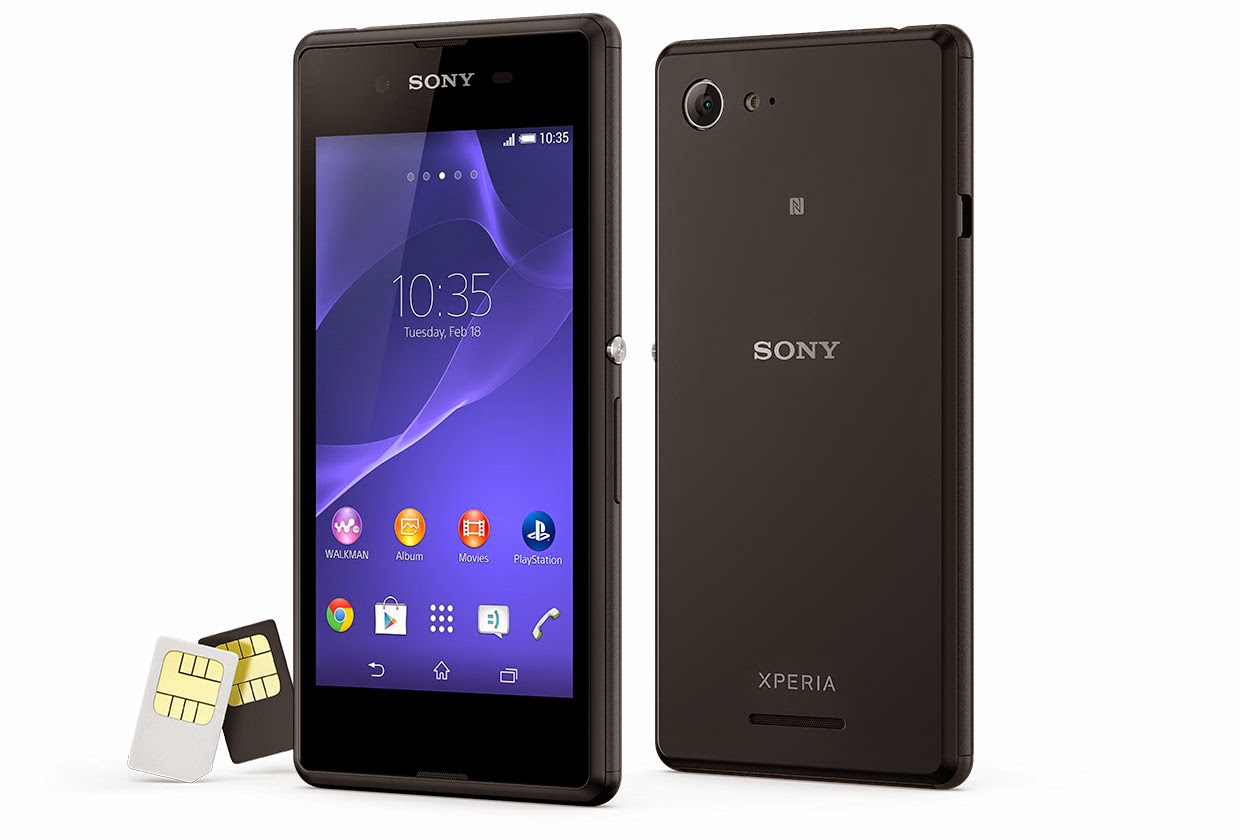
how to unlock your bootloader
a) download and install latest Flashtool from here (mirrors Google Drive, Ulozto or Mega)
b) start Flashtool and click on BLU button on the top
c) turn off your phone and when Flashtool shows pop up window, connect phone to PC with holding volume down button
d) click on get unlock key button, it will switch you to Sony Mobile website, here complete all boxes
e) copy IMEI form Flashtool to Sony Mobile site, than you will get unlock code to your mailbox
f) copy unlock key to Flashtool window and than click unlockg) connect phone with holding volume up button when Flashtool shows pop up window
h) wait to unlock finish.
c) turn off your phone and when Flashtool shows pop up window, connect phone to PC with holding volume down button
d) click on get unlock key button, it will switch you to Sony Mobile website, here complete all boxes
e) copy IMEI form Flashtool to Sony Mobile site, than you will get unlock code to your mailbox
f) copy unlock key to Flashtool window and than click unlockg) connect phone with holding volume up button when Flashtool shows pop up window
h) wait to unlock finish.
how to install the newest Android 4.4.2 for Sony XPERIA E3 Dual D2212
a) first of all, check your firmware version (if you already have the newest one, you do not need this tutorial)
b) download and install latest Flashtool from here (mirrors Google Drive, Ulozto or Mega)
c) download also latest Android 4.4.2 (mirrors Google Drive or Mega) for Sony XPERIA E3 Dual
d) paste the ftf file downloaded in step c) to folder „Firmware“ included in the XPERIA Flashtool
e) open the XPERIA Flashtool, click on flash and choose downloaded firmware, than click ok. Important - if you do not want to delete any data of your phone, just uncheck flashing userdata.sin file. All data will remain in your phone, but sometimes it can cause additional troubles. So it is better (and I recommend that) to do the backup of your personal data, than proceed with clean instalation and then restore your personal data.
f) turn off your phone and when Flashtool shows pop up window, connect phone to PC with holding volume down button
g) after few minutes all is done and your phone gets the new firmware.
b) download and install latest Flashtool from here (mirrors Google Drive, Ulozto or Mega)
c) download also latest Android 4.4.2 (mirrors Google Drive or Mega) for Sony XPERIA E3 Dual
d) paste the ftf file downloaded in step c) to folder „Firmware“ included in the XPERIA Flashtool
e) open the XPERIA Flashtool, click on flash and choose downloaded firmware, than click ok. Important - if you do not want to delete any data of your phone, just uncheck flashing userdata.sin file. All data will remain in your phone, but sometimes it can cause additional troubles. So it is better (and I recommend that) to do the backup of your personal data, than proceed with clean instalation and then restore your personal data.
f) turn off your phone and when Flashtool shows pop up window, connect phone to PC with holding volume down button
g) after few minutes all is done and your phone gets the new firmware.
how to relock your bootloader
a) download and install latest Flashtool from here (mirrors Google Drive, Ulozto or Mega)
b) start Flashtool and click on BLU button on the top
b) start Flashtool and click on BLU button on the top
c) turn off your phone and when Flashtool shows pop up window, connect phone to PC with holding volume down button
d) just click on relock button and your bootloader is locked for now.FOR MORE INFORMATION VISIT:-
http://xperiafirmware.com/8-firmware/72-sony-xperia-e3-dual-d2212
if you have any query....ask me in comment column
http://xperiafirmware.com/8-firmware/72-sony-xperia-e3-dual-d2212
if you have any query....ask me in comment column
Available link for download

Monday, September 5, 2016
Sony Xperia E3 Dual D2212 KitKat 4 4 4 Tested Firmware
Sony Xperia E3 Dual D2212 KitKat 4 4 4 Tested Firmware
You can use the firmware for flash or reset screen lock 100% tested.
Mobile : Xperia E3 Dual
Model : D2212
System Version : KitKat 4.4.4
Baseband : 18.5.B.0.26 Customized MEA

Mobile : Xperia E3 Dual
Model : D2212
System Version : KitKat 4.4.4
Baseband : 18.5.B.0.26 Customized MEA
download link:
D2212_18.5.B.0.26_Customized-MEA.zip - 889.53 MB
flash tool:
https://mega.nz/#!z4sSTaQZ!BVO7GSmoTrTwuuJAhadVCO6LQqLXMF543teobwpDG-I
download mode (power off device volume down+plug usb)
Available link for download
Tuesday, August 30, 2016
Sony Xperia E3 D2203 KitKat 4 4 4 Tested Firmware
Sony Xperia E3 D2203 KitKat 4 4 4 Tested Firmware
You can use the firmware for flash or reset screen lock 100% tested.
Mobile : Xperia E3
Model : D2203
System Version : KitKat 4.4.4
Baseband : 18.5.C.0.19 Customized MA

Mobile : Xperia E3
Model : D2203
System Version : KitKat 4.4.4
Baseband : 18.5.C.0.19 Customized MA
download link:
D2203_18.5.C.0.19_Customized-MA.zip - 865.13 MB
flash tool:
https://mega.nz/#!z4sSTaQZ!BVO7GSmoTrTwuuJAhadVCO6LQqLXMF543teobwpDG-I
download mode (power off device volume down+plug usb)
Available link for download
Sunday, August 14, 2016
Modern Combat 5 For iOS And Android Trailer Released Ahead Of E3 VIDEO
Modern Combat 5 For iOS And Android Trailer Released Ahead Of E3 VIDEO
The first-person shooter genre has really flourished on modern mobile devices, and up there mixing it with the best of them is Gameloft’s modern combat series. The publisher has quite a few similar titles available for both Android and iOS, but the Modern Combat franchise has easily been its strongest hitherto. Having already developed a strong legion of fans, Gameloft has just gone ahead and teased a trailer for Modern Combat 5, and even though the previous releases have enjoyed high-end, console-esque visuals and gameplay, this latest version appears to have stepped things up once more. Details, as well as that trailer, can be found after the jump!
Back in March, Gameloft showed off its first teaser image of the latest Modern Combat, and while that was rather impressive in itself, nothing beats a little teaser trailer. Today, the prayers of avid fans have been answered, and although it’s perhaps not as showy and involved as an in-game trailer (look out for that, ’cause that’ll be the next step), it does at least offer a vague insight into the newly improved graphics.

As well presenting the title as looking a tad sharper than its predecessor, the Modern Combat 5 trailer also offers a glimpse into what we can only construe as new missions. Vehicles such as speedboats and helicopters are hinted heavily in the video you’re about to watch, and if that’s not something to get rather excited about, I don’t know what is!

Apart from a few little hints and the confirmation that Modern Combat 5 will be available on both Android and iOS, there’s precious little else in the way of detail. With that said, Gameloft will be unveiling all at this year’s E3 in LA, and with proceedings kicking off next week, we won’t have to wait a great deal of time to find out what else is in store.
Are you excited about this title? Please do share your thoughts below!
Oh, and you await the release of Modern Combat 5, be sure to check out our iPhone Apps Gallery and iPad Apps Gallery to explore more apps for your iPhone, iPad and iPod touch, and also our Android Apps gallery to discover more apps for your Android device.
Available link for download
Subscribe to:
Posts (Atom)