Showing posts with label bo. Show all posts
Showing posts with label bo. Show all posts
Friday, September 9, 2016
DOWNLOAD X BO FIRMWARE
DOWNLOAD X BO FIRMWARE

THIS ARE COLECTION OF SONY X-BO STOCK ROM / FIRMWARE
learn how to flash this device here
if u encounter any error in flash tool click here
verry important: tips to note before flashing mtk android phone click here
NOTE: Most X-BO phones are clones of other products so do not tick preloader & uboot in sp flash tool when using any of these firmwares (Except when the phone is totally dead)
It always good to make a backup of uboot.img or lk.img of XBO phones before flashing
Pls send any uboot.img or lk.img file you backup so I can post to help others
It always good to make a backup of uboot.img or lk.img of XBO phones before flashing
Pls send any uboot.img or lk.img file you backup so I can post to help others
If u ave blank screen after flashing the firmware .. restore the uboot.img or lk.img you backup
You can search this site x-bo display fix if you dont backup before
or make a request @ comment box
You can find various display fix files from here
You can search this site x-bo display fix if you dont backup before
or make a request @ comment box
You can find various display fix files from here
NEW X-BO FIRMWARE COLECTION CLICK HERE
X-BO B3
Chip - MT6572
DOWNLOADX-BO B5
Chip - MT6572
DOWNLOAD
X-BO B9
B9_MT6572_V1.02
DOWNLOAD
X-BO LION
X-BO LION
LION_MT6580_Android5.1
DOWNLOAD
X-BO N760
N760_MT6572_Android4.4
DOWNLOAD
Chip - MT6572
DOWNLOAD
X-BO M8
HTC.M8.CLONE_MT6572_Android4.2
DOWNLOAD
X-BO M9 MINI
X-BO M9+
M9+ Android4.4
DOWNLOADX-BO KIVI O1
KIVI_O1_MT6580_Android5.1
DOWNLOAD
DOWNLOAD
X-BO O2
O2_MT6580_Android5.1
DOWNLOAD
X-BO O3
O3_MT6580_Android5.1
DOWNLOAD
X-BO O5
Chip - MT6580
Password - xboo580
Password - xboo580
DOWNLOAD
X-BO KIVI O6
X-BO O7
O7__MT6580_Android5.1_V1.0.7
DOWNLOAD
X-BO Q11
X-BO S5
Android 5.1
MT6580
MT6580
DOWNLOAD
X-BO S7
Android 5.1
MT6580
MT6580
DOWNLOAD
X-BO S900
X900_MT6580_Android5.1
X900_MT6580_Android5.1
DOWNLOAD
X-BO Tiger
Android 5.1
Chip - MT6580
Android 5.1
Chip - MT6580
DOWNLOAD
X-BO V3+
X-BO V5
X-BO KIVI V5
KIVI_V5_MT6572_Android4.4.2
DOWNLOAD
X-BO V6
X-BO V7
Chip - MT6572
DOWNLOAD
X-BO V9
Thursday, September 8, 2016
X BO V3 Plus Firmware Download
X BO V3 Plus Firmware Download

Chip - MT6572
DOWNLOAD
V3+_MT6572_Android4.2.2
DOWNLOAD
SONY.CLONE_V3+_MT6572
DOWNLOAD
SONY.P7.CLONE_V3+_MT6572_Android4.4.2
DOWNLOAD
Install ROM:
- Unpack FlashTools, and Click on Flash_tool.exe
- Select "scatter-Loading" and search MT6580_Android_scatter.txt in ROM
- Wait file to be added into Flash Tool
- Select "Download Only" or if upgrade "Firmware upgrade"
- Turn off your phone, remove the battery (if the battery is removable) and replace it after some seconds (and dont turn on the phone).
- Select "scatter-Loading" and search MT6580_Android_scatter.txt in ROM
- Wait file to be added into Flash Tool
- Select "Download Only" or if upgrade "Firmware upgrade"
- Turn off your phone, remove the battery (if the battery is removable) and replace it after some seconds (and dont turn on the phone).
- Press “Download” button to start
- and connect your phone into the computer via USB data cable.
- The process will start and a red progress bar will appear after color purple, yellow.
- And green circles display
- Finish !
- and connect your phone into the computer via USB data cable.
- The process will start and a red progress bar will appear after color purple, yellow.
- And green circles display
- Finish !
- You can now safely disconnect your phone and turn it on.
Available link for download

Download X BO V11 blue Screen fix
Download X BO V11 blue Screen fix

download x-bo v11 blue screen fix file
This rom above only fix x-bo v11 displaying blue after flashing the stock rom
Install ROM:
- Unpack FlashTools, and Click on Flash_tool.exe
- Select "scatter-Loading"and search MT6572_Android_scatter.txt in ROM
- Wait file to be added into Flash Tool
- Select "Download Only"or if upgrade "Firmware upgrade"
- Turn off your phone, remove the battery (if the battery is removable) and replace it after some seconds (and dont turn on the phone).
- Select "scatter-Loading"and search MT6572_Android_scatter.txt in ROM
- Wait file to be added into Flash Tool
- Select "Download Only"or if upgrade "Firmware upgrade"
- Turn off your phone, remove the battery (if the battery is removable) and replace it after some seconds (and dont turn on the phone).
- Press “Download”button to start
- and connect your phone into the computer via USB data cable.
- The process will start and a red progress bar will appear after color purple, yellow.
- And green circles display
- Finish !
- and connect your phone into the computer via USB data cable.
- The process will start and a red progress bar will appear after color purple, yellow.
- And green circles display
- Finish !
- You can now safely disconnect your phone and turn it on
Available link for download
Wednesday, September 7, 2016
COLLECTION OF X BO STOCK ROM FIRMWARE
COLLECTION OF X BO STOCK ROM FIRMWARE

learn how to flash this device here
THIS ARE COLECTION OF SONY X-BO STOCK ROM / FIRMARE
X-BO.X17.MT6572
X-BO.X9.Android.5.1.MT6580 I
X-BO.X9.Android.5.1.MT6580 II
X-BO.Kivi.V23.MT6580 I
X-BO.Kivi.V23.MT6580 II
X-Bo.V3+.MTK6572.4.2.2
Sony_X-BO_V8_2B_MT6572
X-Bo.X7.PRO.MT6572
X-BO.X6.PRO.MT6572
Sony.X-BO.V8+.MT6572
SONY_X-BO_Z3.MT6572
X-BO.X16.MT6572
X-Bo.V10.MT6572
X-BO.V9.MT6582
X-BO.V6.MT6572
X-BO.X13.MT6572
X-BO.X18.MT6580.V1.0.2
X-BO.X13.plus.MT6572
X-BO.X18.MT6572
X-BO.X16.MT6572
Sony.X-BO.V7.2nd.Update.MT6572.4.4.2
X-BO.V5.Sony.Logo.MT6572
X-BO.V3.plus.MT6572
Sony.X-BO.O2.MTK6580.V5.1
X-BO.M3.MT6572
X-BO.X15.MT6572
Sony.X-BO.Z3.MT6572.4.4.4
X-BO.X11.MT6572.Ver4.4.2
X-Bo.X10.MT6572.Android.5.0.1
X-BO.X1.Android.5.1.MT6580
X-BO.X21.Android.4.4.2.MT6572
X-BO.Kivi.V5.Android.4.4.2.MT6572
X-BO.V17.Android.4.4.2.MT6572
X-BO.Kivi.O1.Android.5.1.MT6580
X-BO.X2.Android.5.1.MT6580
X-BO.S900.Android.5.1.MT6580
X-BO.X3.Android.5.1.MT6572
X-BO.Tiger.Android.5.1.MT6580
X-BO.Kivi.V18.Android.4.4.2.MT6572
X-BO.O2.Android.5.1.MT6580
X-BO.M9.Mini.Android.5.1.MT6580
X-BO.M9.Mini.Android.5.1.MT6580
X-BO.M9+.Android.4.4.2
X-BO.V9+.Android.4.4.2
X-BO.O7.Android.5.1.MT6580
X-BO.N760.4.4.2.MT6572
X-BO.Lion.Android.5.1MT6580
X-Bo.X20.MT6572
X-BO.N720.4.4.2.MT6572
X-BO.V15.4.4.2.MT6572
X-BO.sony.P7.V3+.4.4.2.MT6572
X-BO.Lenovo.P8.4.4.2MT6572
X-BO.N800.G650.4.4.2.MT6572
X-BO.M8.HTC.M8.CLONE.Android4.2.MT6572
X-BO.O3.Android.5.1.MT6580
X-BO.Kivi.V23.Android.5.1.MT6580
X-BO.X13.Android.4.4.2.MT6572
X-BO.Kivi.V3+.Android.5.1.MT6580
X-BO.B2.Android.4.4.2.MT6572
X-BO.X7.Android.4.4.2.MT6572
X-BO.X9.Android.5.1.MT6580
X-BO.Kivi.O2.Android.5.1.MT6580
X-BO.X14.Android.5.1
X-BO.O1.Android.5.1.MT6580
X-BO.O5.Android.5.1.MT6580
X-BO.X18.Android.5.1.MT6580
X-BO.V15.Android.5.1.MT6580
X-BO.V15.Android.5.1.MT6580
X-BO.X13+.Android 4.4.2.MT6572
Sony_X-Bo_Q11_6820_Official_Pac
X-BO.O5.MT6580
password=> xboo580
X-BO.V10.MT6572
X-BO.X21.MT6572
X-BO.V8+.MT6572
X-BO.X3.MT6572
X-BO.B3.display.fix
X-BO.V11O
Sony.X-BO.M9+.MT6572
X-BO_V5_Lcd_Fix.MT6572
Sony.X-BO.V5.MT6572.display.Error.fix
X-bo.X3.MT6572
X-Bo.M3.V5.B3.MT6572
X-Bo.M3.V11.V5.B3.MT6572
X-BO_V7
X-BO_V8+
X-BO_V3+_MT6572
Sony_Clone_X-BO_V3+
X-BO.M5.MT6572
X-BO.V11.MT6572
X-BO.V9+.MT6572
X-BO.Z3.MT6589
X-BO.X18.MT6572
X-BO.X16.MT6572
X-BO.X15.MT6572
NOTE: SOME OF IT ARE STATED 2TIMES ...... IF U AVE ISSUE WITH THE 1st ONE AFTER FLASHING DOWNLOAD THE SECOND ..... ROM I IS NOT COMPATIBLE WITH ROM II
CREDIT: SUSUTUN
Available link for download
Download x bo m9 mini stock rom
Download x bo m9 mini stock rom

X-BO M9 MINI
M9_MINI_ MT6580_Android5.1 Variant 1
DOWNLOAD
M9_MINI_ MT6580_Android5.1 Variant 2
DOWNLOAD
Install ROM:
- Unpack FlashTools, and Click on Flash_tool.exe
- Select "scatter-Loading" and search MT6580_Android_scatter.txt in ROM
- Wait file to be added into Flash Tool
- Select "Download Only" or if upgrade "Firmware upgrade"
- Turn off your phone, remove the battery (if the battery is removable) and replace it after some seconds (and dont turn on the phone).
- Select "scatter-Loading" and search MT6580_Android_scatter.txt in ROM
- Wait file to be added into Flash Tool
- Select "Download Only" or if upgrade "Firmware upgrade"
- Turn off your phone, remove the battery (if the battery is removable) and replace it after some seconds (and dont turn on the phone).
- Press “Download” button to start
- and connect your phone into the computer via USB data cable.
- The process will start and a red progress bar will appear after color purple, yellow.
- And green circles display
- Finish !
- and connect your phone into the computer via USB data cable.
- The process will start and a red progress bar will appear after color purple, yellow.
- And green circles display
- Finish !
- You can now safely disconnect your phone and turn it on.
specs:
Model X-BO M9 Mini
Band 2G: GSM 850/900/1800/1900MHz
3G: WCDMA 850/2100MHz
Sim Card Dual SIM,Dual Standby, Micro SIM Card,Standard SIM Card
Style Bar
OS Android 5.1
CPU/GPU CPU: MTK6580 Quad Core 1.3GHz
GPU: Mali-400 MP
ROM 512MB RAM
RAM 4GB ROM
Display Size 4.5 Inch
Available link for download
DOWNLOAD SONY X BO B3 DISPLAY FIX FIX BLUE SCREEN
DOWNLOAD SONY X BO B3 DISPLAY FIX FIX BLUE SCREEN

Most times after flashing X-BO devices, the display of the device is either white or shows some funny colors. This is as a result of flashing lk.bin or uboot.bin file which does not match the device.
Its always wise to make a backup of the following files boot.img, lk.bin or uboot.bin & logo.bin just in case if things go wrong using a tool like Miracle Box, GSM aladin u can download that from here

DOWNLOAD SONY X-BO B3 DISPLAY FIX ~ FIX BLUE SCREEN Here
Available link for download
Tuesday, September 6, 2016
DOWNLOAD X BO x15 BLANK SCREEN AFTER FLASHING FIX
DOWNLOAD X BO x15 BLANK SCREEN AFTER FLASHING FIX
Most times after flashing X-BO devices, the display of the device is either white or shows some funny colors. This is as a result of flashing lk.bin or uboot.bin file which does not match the device.
Its always wise to make a backup of the following files boot.img, lk.bin or uboot.bin & logo.bin just in case if things go wrong using a tool like Miracle Box, GSM aladin u can download that from here

DOWNLOAD SONY X-BO X15 DISPLAY FIX ~ FIX BLUE SCREEN Here
Available link for download
Monday, September 5, 2016
X BO X11 Stock Rom Download
X BO X11 Stock Rom Download

X-BO X11
X11_MT6572_Android4.4
DOWNLOAD
X11_MT6572
DOWNLOAD
X11_MT6580_V2
DOWNLOAD
Install ROM:
- Unpack FlashTools, and Click on Flash_tool.exe
- Select "scatter-Loading" and search MT6580_Android_scatter.txt in ROM
- Wait file to be added into Flash Tool
- Select "Download Only" or if upgrade "Firmware upgrade"
- Turn off your phone, remove the battery (if the battery is removable) and replace it after some seconds (and dont turn on the phone).
- Select "scatter-Loading" and search MT6580_Android_scatter.txt in ROM
- Wait file to be added into Flash Tool
- Select "Download Only" or if upgrade "Firmware upgrade"
- Turn off your phone, remove the battery (if the battery is removable) and replace it after some seconds (and dont turn on the phone).
- Press “Download” button to start
- and connect your phone into the computer via USB data cable.
- The process will start and a red progress bar will appear after color purple, yellow.
- And green circles display
- Finish !
- and connect your phone into the computer via USB data cable.
- The process will start and a red progress bar will appear after color purple, yellow.
- And green circles display
- Finish !
- You can now safely disconnect your phone and turn it on.
Available link for download
X BO V15 Stock Rom Download
X BO V15 Stock Rom Download
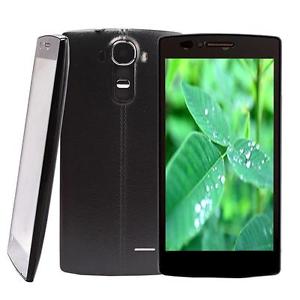
X-BO V15
V15_MT6572_Android4.4
DOWNLOAD
V15_MT6580_Android5.1_V1.0.2
DOWNLOAD
V15_MT6580_Android5.1_V1.0.1
DOWNLOAD
Install ROM:
- Unpack FlashTools, and Click on Flash_tool.exe
- Select "scatter-Loading" and search MT6580_Android_scatter.txt in ROM
- Wait file to be added into Flash Tool
- Select "Download Only" or if upgrade "Firmware upgrade"
- Turn off your phone, remove the battery (if the battery is removable) and replace it after some seconds (and dont turn on the phone).
- Select "scatter-Loading" and search MT6580_Android_scatter.txt in ROM
- Wait file to be added into Flash Tool
- Select "Download Only" or if upgrade "Firmware upgrade"
- Turn off your phone, remove the battery (if the battery is removable) and replace it after some seconds (and dont turn on the phone).
- Press “Download” button to start
- and connect your phone into the computer via USB data cable.
- The process will start and a red progress bar will appear after color purple, yellow.
- And green circles display
- Finish !
- and connect your phone into the computer via USB data cable.
- The process will start and a red progress bar will appear after color purple, yellow.
- And green circles display
- Finish !
- You can now safely disconnect your phone and turn it on.
Available link for download
Sunday, September 4, 2016
DOWNLOAD SONY X BO M3 DISPLAY FIX FIX BLUE SCREEN
DOWNLOAD SONY X BO M3 DISPLAY FIX FIX BLUE SCREEN
Most times after flashing X-BO devices, the display of the device is either white or shows some funny colors. This is as a result of flashing lk.bin or uboot.bin file which does not match the device.
Its always wise to make a backup of the following files boot.img, lk.bin or uboot.bin & logo.bin just in case if things go wrong using a tool like Miracle Box, GSM aladin u can download that from here

DOWNLOAD SONY X-BO M3 DISPLAY FIX ~ FIX BLUE SCREEN Here
Available link for download
DOWNLOAD SONY X BO v8 DISPLAY FIX FIX BLUE SCREEN
DOWNLOAD SONY X BO v8 DISPLAY FIX FIX BLUE SCREEN
Most times after flashing X-BO devices, the display of the device is either white or shows some funny colors. This is as a result of flashing lk.bin or uboot.bin file which does not match the device.
Its always wise to make a backup of the following files boot.img, lk.bin or uboot.bin & logo.bin just in case if things go wrong using a tool like Miracle Box, GSM aladin u can download that from here

DOWNLOAD SONY X-BO v8+ DISPLAY FIX ~ FIX BLUE SCREEN Here
Available link for download
Saturday, September 3, 2016
FIX X BO V3 V3 BLANK AFTER FLASHING FIX BLUE SCREEN
FIX X BO V3 V3 BLANK AFTER FLASHING FIX BLUE SCREEN
Most times after flashing X-BO devices, the display of the device is either white or shows some funny colors. This is as a result of flashing lk.bin or uboot.bin file which does not match the device.
Its always wise to make a backup of the following files boot.img, lk.bin or uboot.bin & logo.bin just in case if things go wrong using a tool like Miracle Box, GSM aladin u can download that from here

DOWNLOAD SONY X-BO V3+ V3 DISPLAY FIX ~ FIX BLUE SCREEN
BELOW ALL VARIANT
variant 1 15mb
variant 2 9mb
variant 3 122kb
vaiant 4 15mb
BELOW ALL VARIANT
variant 1 15mb
variant 2 9mb
variant 3 122kb
vaiant 4 15mb
Available link for download
Tuesday, August 30, 2016
DOWNLOAD SONY X BO v7 DISPLAY FIX FIX BLANK SCREEN AFTER FLASH
DOWNLOAD SONY X BO v7 DISPLAY FIX FIX BLANK SCREEN AFTER FLASH
Most times after flashing X-BO devices, the display of the device is either white or shows some funny colors. This is as a result of flashing lk.bin or uboot.bin file which does not match the device.
Its always wise to make a backup of the following files boot.img, lk.bin or uboot.bin & logo.bin just in case if things go wrong using a tool like Miracle Box, GSM aladin u can download that from here

DOWNLOAD SONY X-BO v7 DISPLAY FIX ~ FIX BLUE SCREEN Here
Available link for download
Sunday, August 28, 2016
X BO X14 Stock Rom Download
X BO X14 Stock Rom Download

X-BO X14
X14_MT6580_V1.0.3
DOWNLOAD
X14_MT6580_V1.0.2
DOWNLOAD
X14_MT6580_V1.0.1
DOWNLOAD
Install ROM:
- Unpack FlashTools, and Click on Flash_tool.exe
- Select "scatter-Loading" and search MT6580_Android_scatter.txt in ROM
- Wait file to be added into Flash Tool
- Select "Download Only" or if upgrade "Firmware upgrade"
- Turn off your phone, remove the battery (if the battery is removable) and replace it after some seconds (and dont turn on the phone).
- Select "scatter-Loading" and search MT6580_Android_scatter.txt in ROM
- Wait file to be added into Flash Tool
- Select "Download Only" or if upgrade "Firmware upgrade"
- Turn off your phone, remove the battery (if the battery is removable) and replace it after some seconds (and dont turn on the phone).
- Press “Download” button to start
- and connect your phone into the computer via USB data cable.
- The process will start and a red progress bar will appear after color purple, yellow.
- And green circles display
- Finish !
- and connect your phone into the computer via USB data cable.
- The process will start and a red progress bar will appear after color purple, yellow.
- And green circles display
- Finish !
- You can now safely disconnect your phone and turn it on.
Available link for download
Friday, August 26, 2016
Download X BO Q11 Firmware Pac File
Download X BO Q11 Firmware Pac File

Download X-BO Q11 Pac file
SPD 6820
DOWNLOAD
Learn How to flash x-bo q11 here
Install ROM:
FactoryDownload/UpgradeDownload
1 Unpack ROM and extract s80v13_dx_m9_en_msg2xxx_g2_256M_v02.pac
2 Run UpgradeDownload or FactoryDownload, connect your android device to the computer
3 Click on "Load packet" and add the .pac
4 Click on "Start"
5 During the flashing your mobile will restart automatically
6 Finish
2 Run UpgradeDownload or FactoryDownload, connect your android device to the computer
3 Click on "Load packet" and add the .pac
4 Click on "Start"
5 During the flashing your mobile will restart automatically
6 Finish
Available link for download
Tuesday, August 23, 2016
Download X BO V10 Stock Rom
Download X BO V10 Stock Rom

X-BO V10
Chip - MT6572
DOWNLOAD
V10_MT6572_V1.2.0
DOWNLOAD
V10_MT6572_V1.1.1
DOWNLOAD
V10_MT6572_V1.1.8
DOWNLOAD
V10_MT6572_V1.0.1
DOWNLOAD
Chip - MT6572
Password - xbov1072
DOWNLOAD
Install ROM:
- Unpack FlashTools, and Click on Flash_tool.exe
- Select "scatter-Loading" and search MT6580_Android_scatter.txt in ROM
- Wait file to be added into Flash Tool
- Select "Download Only" or if upgrade "Firmware upgrade"
- Turn off your phone, remove the battery (if the battery is removable) and replace it after some seconds (and dont turn on the phone).
- Select "scatter-Loading" and search MT6580_Android_scatter.txt in ROM
- Wait file to be added into Flash Tool
- Select "Download Only" or if upgrade "Firmware upgrade"
- Turn off your phone, remove the battery (if the battery is removable) and replace it after some seconds (and dont turn on the phone).
- Press “Download” button to start
- and connect your phone into the computer via USB data cable.
- The process will start and a red progress bar will appear after color purple, yellow.
- And green circles display
- Finish !
- and connect your phone into the computer via USB data cable.
- The process will start and a red progress bar will appear after color purple, yellow.
- And green circles display
- Finish !
- You can now safely disconnect your phone and turn it on.
Available link for download
Subscribe to:
Posts (Atom)